 RPad
RPadYour phone is now a trackpad for your Mac or PC.
Use your iPhone, iPad or Android phone or tablet. Lean back on the couch, present from across the room, or control the computer on your TV. RPad feels like a real trackpad — and it's private and encrypted by design.


Works with the devices you have.
Use an iPhone, iPad or Android phone or tablet as the trackpad, and control a Mac, a Windows PC or a Linux PC. Any phone works with any computer.
iPhone & iPad
iOS 17 or later, with an Apple Watch remote and Apple Pencil drawing. Free download, 7-day trial, then RPad Pro for $5.99 once. The Mac app is included.
Android
Phones and tablets with Android 8.0 or later. Free download, 7-day trial, then RPad Pro once as an in-app purchase, at your local price in Google Play.
Mac
A free menu bar app for macOS 14 Sonoma or later. Control it from an iPhone, iPad or Android device. Screen mode shows the Mac’s display on your phone.

Windows
A system tray app for Windows 10 (version 1809) and Windows 11. Control it from an iPhone, iPad or Android device. Free for 7 days, then RPad for PC: US$9.99 once for every Windows and Linux PC you own.
Linux (beta)
For X11 and Wayland (GNOME 46+, KDE Plasma 6.1+), as an AppImage or .deb. Control it from an iPhone, iPad or Android device. The same RPad for PC licence as Windows: free for 7 days, then US$9.99 once.
Feels like the trackpad you know.
Not a tiny touch box — your whole screen becomes a responsive trackpad with the gestures you already use every day.
Smart acceleration
Precise when you move slowly, across your entire display in one swipe — no lifting and re-placing your finger.
Real gestures
Tap to click, double-tap, tap-and-drag, two-finger right-click and two-finger scrolling with natural momentum.
Type on your Mac
Use the iPhone keyboard in any app, with accents, emoji, arrows, esc, tab and ⌘ ⌥ ⌃ ⇧ shortcuts.
Encrypted pairing
Pair once with a 6-digit code on your computer. Only your paired devices can ever control it.
Draw with Apple Pencil
On iPad, switch to Draw and your Pencil becomes a drawing tablet for your Mac — with pressure and tilt in apps that support it.
Presentation remote
Tap or swipe through Keynote, PowerPoint and Google Slides from your iPhone, or change slides from your Apple Watch.
Media and volume keys
Play, pause, skip tracks and change the volume on your Mac from the couch.
See your Mac’s screen
Screen mode streams the Mac’s display to your phone. Tap to click, drag and scroll on it, or grab a screenshot.
Apps, Shortcuts and power
Open and quit apps, run your Shortcuts, lock or sleep the Mac — and ask Siri to do it.
Lives in your menu bar
The Mac app stays out of the way: connected devices, tracking speed and natural scrolling at a click.
No account, no cloud
Works entirely on your local Wi‑Fi. No sign-up, no ads, no tracking, and no data ever leaves your devices.
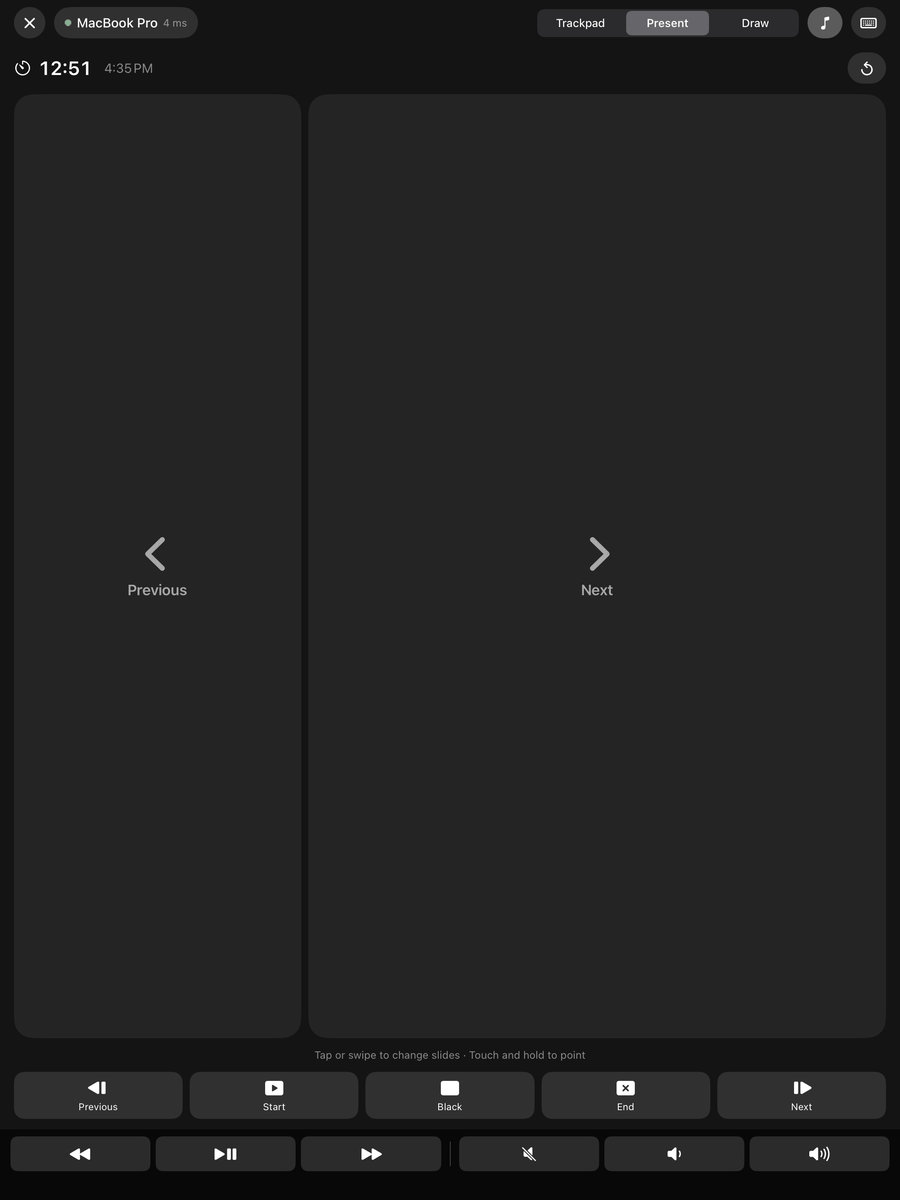
A remote for every presentation.
Tap or swipe through Keynote, PowerPoint, Google Slides and PDFs. Touch and hold to point at a slide, keep an eye on the timer, and control music and volume without walking back to your Mac.
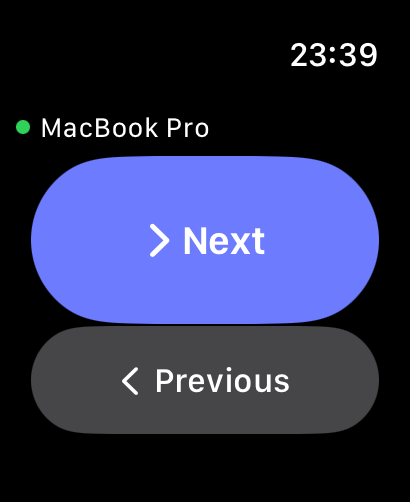
Next slide, from your wrist.
Leave your iPhone in your pocket. Press Next or Previous on Apple Watch, or just double tap on Apple Watch Series 9, Ultra 2 and later. Turn the Digital Crown to change the volume.
- Works through your iPhone — no extra setup on the Mac
- Reconnects on its own after the iPhone has been locked
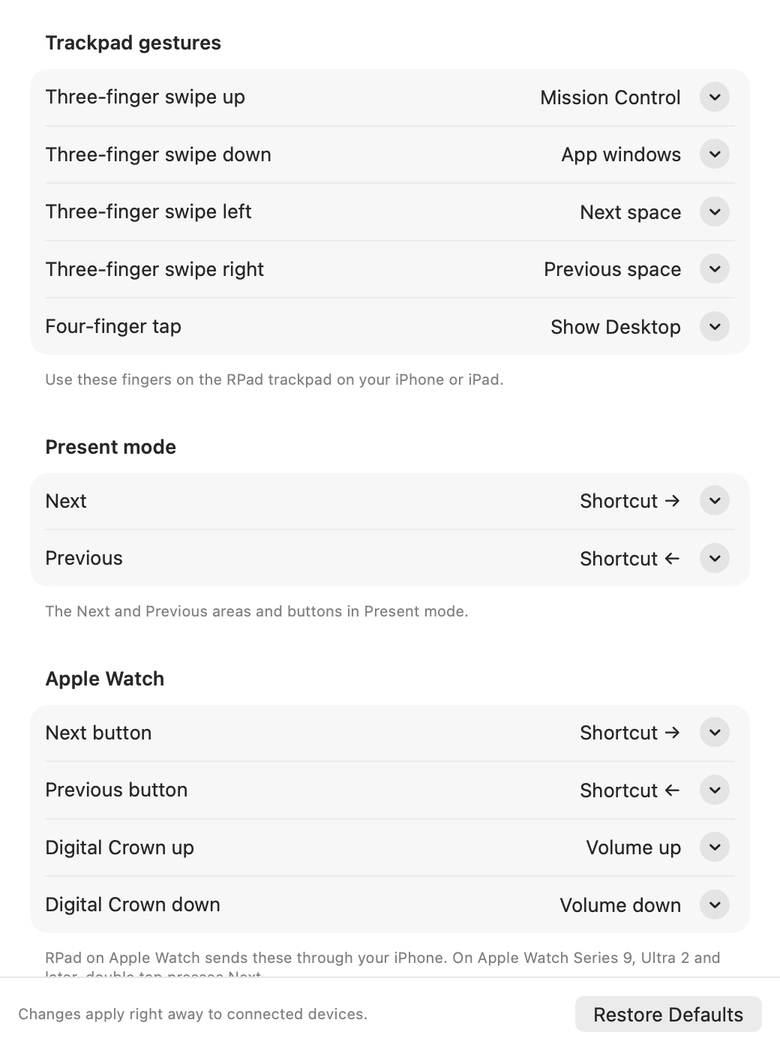
Make every gesture yours.
Swipe three fingers up for Mission Control, down for app windows, sideways to switch spaces, and tap with four fingers to show the desktop. In the RPad menu on your Mac, choose Customize Gestures & Watch… to set any gesture, Present-mode button or watch control to a keyboard shortcut, media key, click or macOS feature.
Set up in a minute.
RPad for Mac is free, and one App Store purchase covers iPhone and iPad. On Android, get RPad from Google Play. Using a Windows or Linux PC? Install RPad for Windows or RPad for Linux on it instead of the Mac app.
Install on your Mac
Open RPad from the menu bar and allow it in System Settings › Privacy & Security › Accessibility so it can move the pointer.
Open RPad on your phone
On your iPhone, iPad or Android device, make sure both devices are on the same Wi‑Fi. Your Mac shows up automatically — tap it.
Enter the code
Type the 6-digit code shown on your Mac. That's it — next time RPad connects on its own.
| Gesture on iPhone | On your Mac |
|---|---|
| Move one finger | Move the pointer |
| Tap · double-tap | Click · double-click |
| Tap, then touch and move | Drag windows, files and selections |
| Two-finger tap | Right-click |
| Move two fingers | Scroll, with momentum |
| Three-finger tap | Middle-click |
| Three-finger swipe up · down | Mission Control · app windows |
| Three-finger swipe left · right | Switch spaces |
| Four-finger tap | Show Desktop |
| Apple Pencil in Draw mode (iPad) | Draw with pressure and tilt |
| Present mode: tap or swipe | Next or previous slide |
| Present mode: touch and hold, then move | Point at the slide |
Private and secure by design.
Controlling a computer is powerful, so RPad treats it that way.
Code-based pairing
A fresh one-time code appears on your computer for every pairing, verified with a modern password-authenticated key exchange (CPace). Guessing is rate limited.
End-to-end encryption
Every connection is mutually authenticated and encrypted with ChaCha20-Poly1305. Tampered or replayed messages are rejected.
You stay in control
See every paired device in the Mac menu bar and remove any of them instantly. Pairing keys never leave your devices.
Try it free. Then pay once.
Everything works for 7 days. After that, one purchase unlocks RPad on your iPhone, iPad, Apple Watch and Mac with the same Apple Account. No subscription, ever.
On Android, get RPad on Google Play: free for 7 days, then RPad Pro is a one-time in-app purchase at your local price (US$5.99 in the US), for every Android device on your Google account. It works with the free Mac app and with RPad for Windows and Linux.
RPad for Windows and RPad for Linux share one separate one-time purchase, RPad for PC: free for 7 days, then US$9.99 for every PC you own.
- RPad for iPhone and iPad
- RPad for Apple Watch
- RPad for Mac (menu bar app)
- Free updates and Family Sharing
- No account, ads or tracking
Prices vary by country and are shown in your local currency on the App Store.
Questions & answers
What do I need?
A Mac with macOS 14 Sonoma or later, a PC with Windows 10 (version 1809) or Windows 11, or a Linux PC (beta), plus an iPhone or iPad with iOS 17 or later or an Android phone or tablet with Android 8.0 or later, and both on the same Wi‑Fi network. Any iPhone, iPad or Android device can control any of these computers.
Why does the Mac app ask for Accessibility permission?
macOS only lets apps move the pointer, click and type after you allow them in Privacy & Security › Accessibility. RPad uses this permission only to perform the input you send from your paired iPhone. It doesn't read your screen or other apps.
Does it work over the internet or Bluetooth?
RPad works over your local Wi‑Fi network, which keeps latency low and your data at home. Both devices must be on the same network.
Is my typing safe?
Yes. Only devices you paired with a code on your Mac can connect, and everything is encrypted end to end. Nothing is sent to us or any server.
My Mac doesn't appear in the list.
Check that RPad is running on the Mac (menu bar icon), that "Allow iPhone connections" is on, that both devices use the same Wi‑Fi, and that Local Network access is enabled for RPad on the iPhone. More tips on the support page.
Does RPad work with Apple Watch?
Yes. RPad for Apple Watch is included. Install it from the Watch app on your iPhone (My Watch › Available Apps), connect to your Mac on the iPhone once, and then change slides from your wrist. It needs watchOS 10 or later; double tap needs Apple Watch Series 9, Ultra 2 or later.
Can I change what gestures and buttons do?
Yes. On your Mac, open the RPad menu and choose Customize Gestures & Watch…. Each three- and four-finger gesture, the Present-mode Next and Previous buttons, and each Apple Watch control can run a keyboard shortcut, a media key, a click, or Mission Control, app windows, Show Desktop, Apps or switching spaces.
Do I need to buy it twice for iPhone and Mac?
No. One purchase covers RPad on iPhone, iPad, Apple Watch and Mac with the same Apple Account.
Does RPad work with a Windows or Linux PC?
Yes. Install RPad for Windows or RPad for Linux (beta) on the PC and control it from your iPhone, iPad or Android device, just like a Mac. Both are covered by one separate purchase, RPad for PC: free for 7 days, then US$9.99 once for every Windows and Linux PC you own. The App Store and Google Play purchases don't include RPad for PC, and the RPad for PC licence doesn't include the phone apps.
Is there an Android app?
Yes. Get RPad on Google Play for Android phones and tablets with Android 8.0 or later. It controls Macs, Windows PCs and Linux PCs. It's free for 7 days, then RPad Pro is a one-time in-app purchase at your local price, for every Android device on your Google account. It doesn't include the App Store version.
Take control from the couch.
RPad for iPhone, iPad, Android, Mac, Windows and Linux.